BROWSER RACING · TRACK LAB · GARAGE
A browser racing game with a track builder
ApexDrawn is a free browser racing game where you can drive 3D circuits, sketch a race track of your own, and choose a car from one browser-based garage. Start a Quick Race or try the Daily Pursuit, then switch to a three-round Championship, a point-to-point Rally Stage, a Drag Sprint, or an Oval Night. Track Lab lets you draw a closed circuit or place each point, adjust the shape, and preview the route from above before driving it. In the Garage, you can select and paint cars, explore tuning, and open the Car Builder for custom body work. There is no game client to download: open ApexDrawn in a modern browser with JavaScript and WebGL enabled. Core race and track-drawing play is free; signing in is needed for some account features, and optional digital items are offered separately.
How to play ApexDrawn
Choose a race mode
Start with Quick Race for a short grid, or open Daily Pursuit for a one-track challenge. Championship, Rally Stage, Drag Sprint, and Oval Night each change the route, pace, or race format.
Select a car and circuit
Pick a car from the available collection and choose a circuit or event setup. A familiar track is useful while you learn how the car responds; a different car can make the same corners feel new.
Drive your lap
Use W or the up arrow to accelerate, S or the down arrow to brake, and A or D to steer. On supported touch screens, use the on-screen driving controls. Follow the circuit, watch your speed, and work toward a cleaner lap.
Draw a route in Track Lab
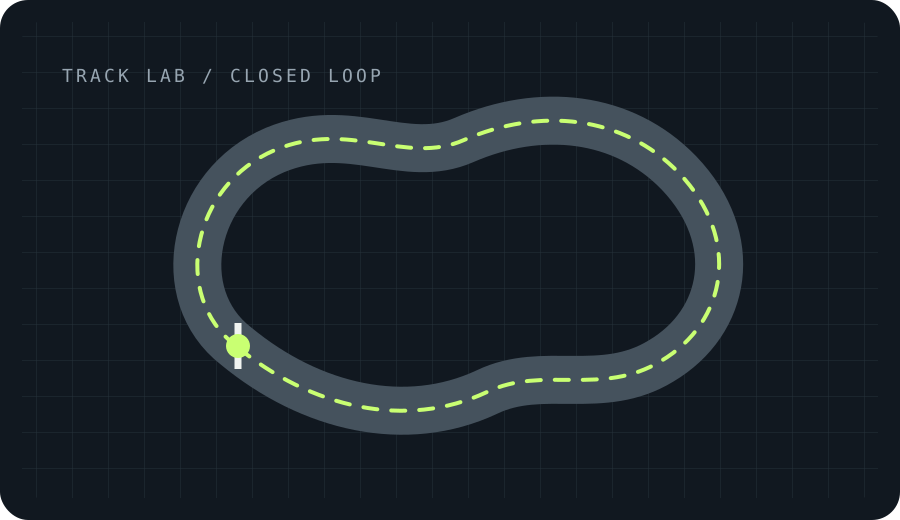
Open Track Lab to make a closed circuit or a point-to-point rally stage. Draw freehand, place individual points, start from a generated layout, then preview the shape and adjust its width or terrain before driving.
Save and refine
Track Lab saves your drawings on the current device. Return to the board to adjust a turn, try another layout, and test it again. Local browser data may not follow you to another device.
Race modes and browser game features
Quick Race and Daily Pursuit
Choose a three-lap grid with six rivals in Quick Race, or take the daily single-track challenge in Daily Pursuit. The daily event includes a ghost line to chase, giving each lap a clear target.
Championship, Rally, Drag, and Oval
Race a three-round Championship, drive a point-to-point Rally Stage, launch a quarter-mile Drag Sprint, or run ten laps in Oval Night. Each format rewards a different mix of pace, precision, and race craft.
Track Lab circuit builder
Use Track Lab as a browser-based race track maker. Draw a loop by hand or place points, generate a starting shape, adjust the road and terrain, and preview a circuit before taking it into a 3D drive.
Garage and Car Builder
The Garage lets you select a car, change its paint, and explore tuning or modification options. Sign in to open the Car Builder and save custom body work with your account.
Free browser racing with no download
Open the game in a modern browser instead of installing a game client. Core racing and track drawing are free to start. Optional digital items and account features are presented separately.
Online party status
Race with Friends is shown as coming soon. The current mode list does not promise live online rooms, so you can enjoy the available solo formats while shared play is being prepared.
Browser and system requirements
ApexDrawn runs in a recent browser on a laptop, desktop, tablet, or phone. The 3D race view needs a working WebGL implementation; performance depends on the device and graphics settings.
- Browser: use a current version of Chrome, Edge, Firefox, or Safari with JavaScript enabled.
- Graphics: enable WebGL and hardware acceleration. Update the browser and graphics drivers if the 3D view does not load.
- Controls: use WASD or arrow keys on desktop; touch controls are available on supported mobile screens. Landscape is recommended for driving.
- Connection: an internet connection is needed to load the site. Sign-in and purchase features also need network access.
ApexDrawn racing game FAQ
Is ApexDrawn free to play?
Core racing and track drawing are free to start. Optional digital items may be offered in the shop; prices and item details are shown before purchase.
Do I need to download the game or create an account?
No game client download is needed. You can start the available free play in a browser without an account. Sign-in is required for some account features, including the Car Builder.
How do I build my own race track?
Open Track Lab, choose a circuit or rally stage, then draw a route freehand or place points. You can also start from a generated layout, preview it from above, adjust it, and test-drive it.
Which racing modes can I play?
The current mode list includes Quick Race, Daily Pursuit, Championship, Rally Stage, Drag Sprint, and Oval Night. Race with Friends is marked coming soon.
Can I play ApexDrawn on a phone or tablet?
ApexDrawn is designed for modern mobile browsers with touch controls. A landscape orientation gives the 3D race view more room; performance depends on your device.
What browser and graphics support do I need?
Use an up-to-date Chrome, Edge, Firefox, or Safari browser with JavaScript and WebGL enabled. Hardware acceleration helps the 3D circuit run smoothly.
Where are my custom tracks saved?
Track Lab saves drawings in the current browser on your device. Clearing browser storage can remove local copies, and local drawings may not sync to another device.
Last updated: November 2026